Blog
The Blog Publishing Bit I Did Not Want to Keep Doing by Hand
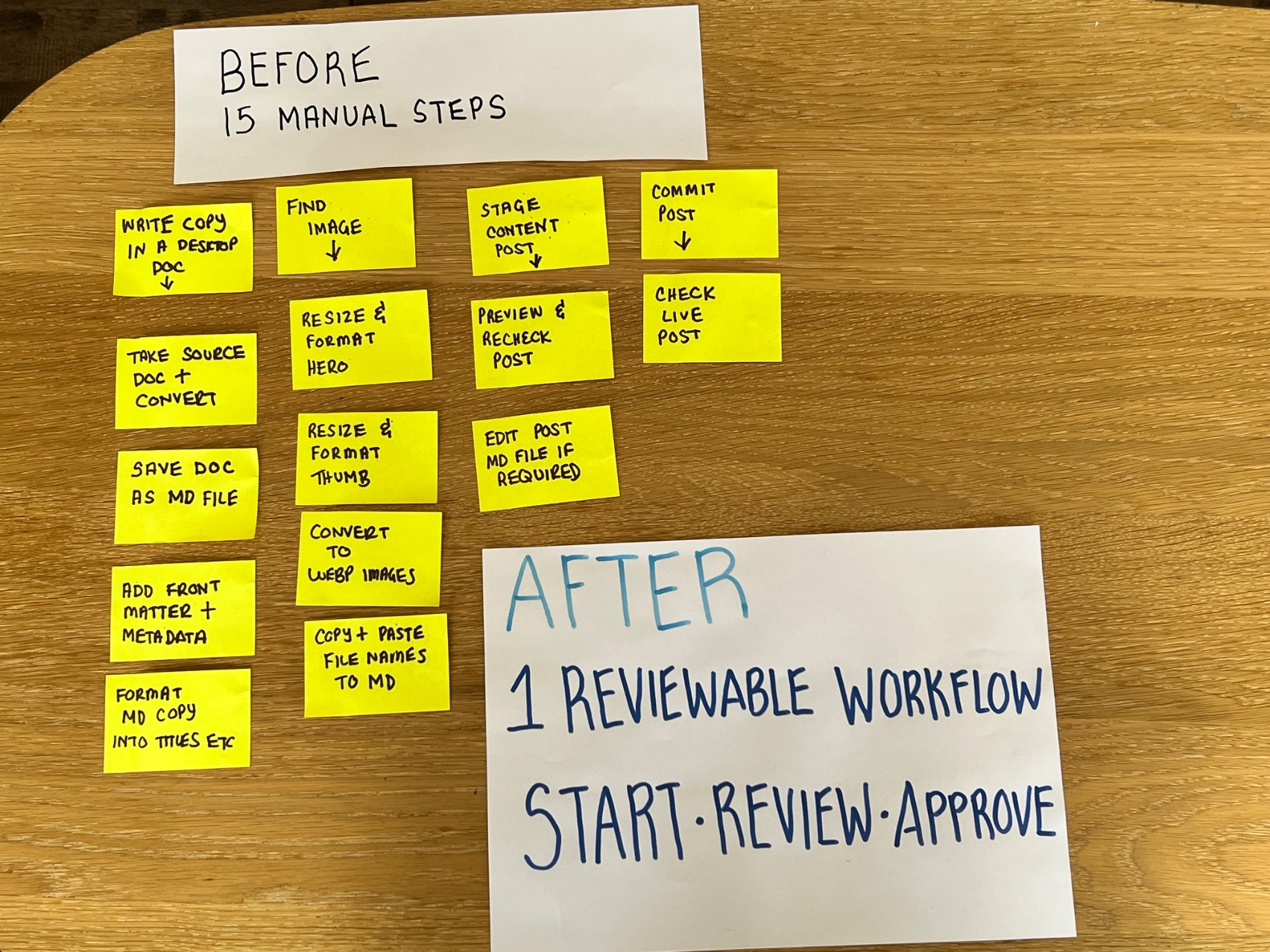
Writing a blog post and publishing a blog post are, annoyingly, two different jobs.
The writing can be finished. The image can be chosen. The links can be ready. And then there is the finicky obstacle course of actually getting a blog post onto your website.
- Log in to the website CMS (WordPress, Squarespace, Wix etc.)
- Find the right post template.
- Create the empty post template.
- Copy the words across.
- If there are tables in your post, you'll need to create these and then copy across the table information.
- Fix any formatting that changed along the way.
- Find the image and resize it if need be (this gets even more involved if you're adding a gallery of photos to a post)
- Upload the image.
- Add the links.
- Add the page information and metadata for SEO.
- Check what you want the post link to be for SEO.
- Preview the post.
- Decide whether it is ready to go out into the world.
- Either publish it immediately or spend 5 minutes scheduling it
- Check the live post (or add a reminder to check the live post when it's been published later)
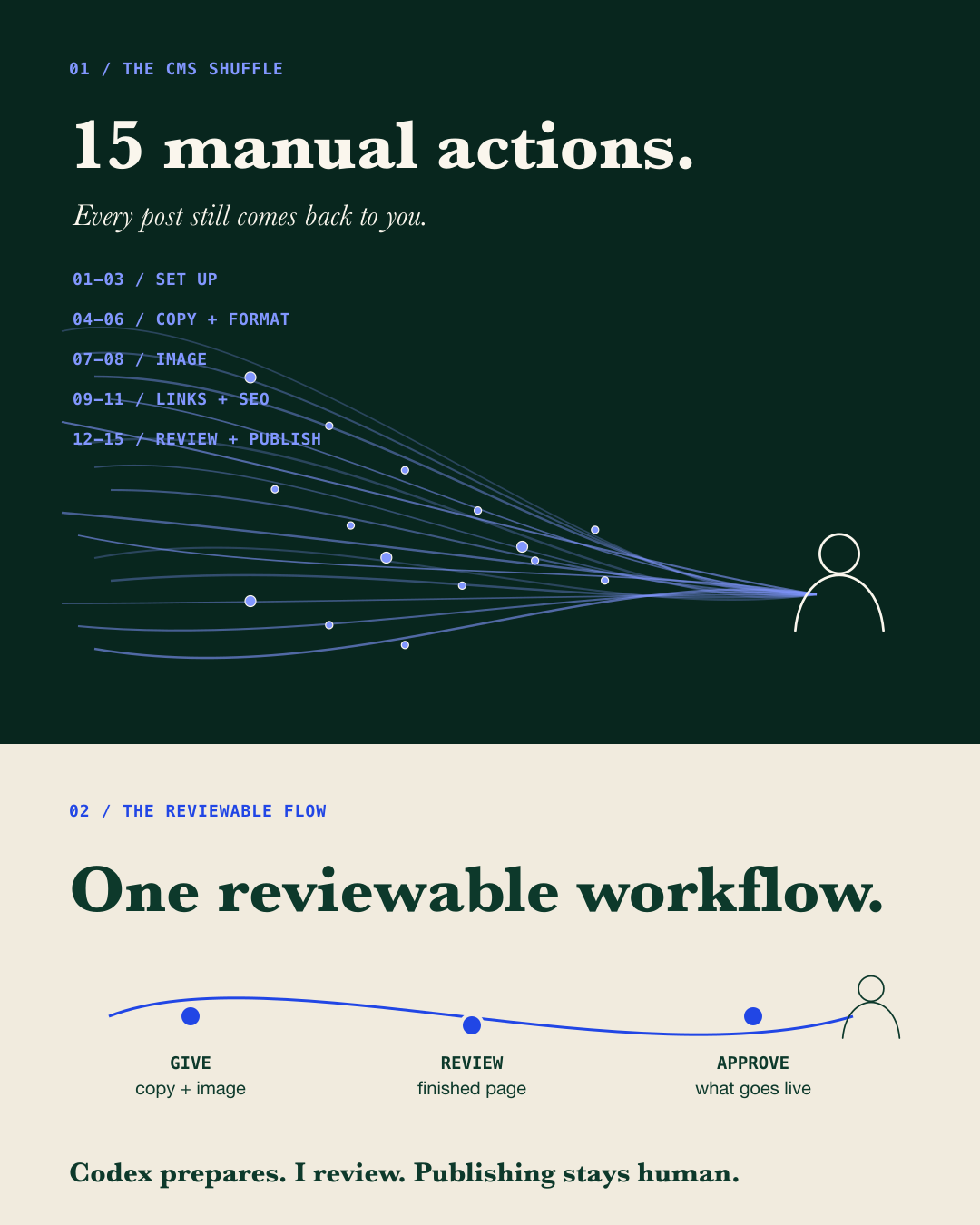
None of those steps is especially dramatic. Together, they are exactly the sort of repeatable work that turns into a time-consuming admin task each week.
So I have been testing a different way of working with Codex.
A workflow that is customised to my content creation process prepares the repeatable setup and checks, while leaving the decisions with me.
First, I looked at the work - not the tool
This is how I start with any automation question: I watch the person doing the task before I start looking for a better workflow or a tool. In this case myself!
For blog publishing, the real workflow was not as straightforward as “put post on website.” My website was custom built and it involved a Markdown article, front matter, a thumbnail image, file locations, links, a draft state, checks and a final review.
Once that was mapped out, the useful question became: which parts are repeatable enough to prepare safely, and which parts still need me looking at the finished result?
The workflow is saved as a Codex Skill - a reusable set of instructions Codex can follow whenever I publish or update a blog post. I can start the process from the Codex app on my mobile or desktop, rather than needing to sit at my desk and work through the website screens myself.
I can start with whatever I have
I've given Codex blog drafts as photographs of handwritten notes, text files and voice notes. It prepares the article, image and checks for me to review. Nothing goes live until I approve it.
What this blog publishing workflow does
Although my website is custom-built, the publishing problem will be familiar to anyone managing a business website: every article still needs to be set up, formatted, paired with the right image and checked before it goes live. This workflow prepares those pieces together, so I can review the finished page instead of rebuilding it step by step.
The workflow I am testing now is simpler. I start with the blog post copy and image, and Codex:
- sets up the post with its title, date, summary, content, links and other page information
- places the accompanying image in the right location and at the right size
- creates a complete page preview for me to review
- checks that the website still works properly with the new post added
- waits for my approval before anything goes live
Instead of working through 15 publishing actions one by one, I get one prepared page to review and one publication decision to make.
That's the repeatable part and I still decide whether the post is good to go, whether an image is right, whether a claim is fair, whether a link belongs there and whether the finished page is actually ready.
Why I like the review point
The most useful part of this is that the work becomes easier to review as one coherent page preview.
I can look at the article, image and proposed update together, rather than trusting that everything survived a sequence of copy-and-paste screens. If something needs changing, I can simply ask Codex to do that and I check it again.
What stays human
I deliberately keep these decisions with me:
- deciding what is worth publishing
- checking that the words are accurate, useful and in my voice
- choosing whether an image is public-safe and appropriate
- reviewing links, layout and the finished page
- approving any publication or deployment
The workflow is assisted and reviewable, not completely hands-off.
What the first repeat test showed
Once the final words and image for this article were in place, I timed the repeatable website-checking stage. Codex refreshed the blog files, ran the site's checks and built the version of the website I could preview. That automated stage took 12.87 seconds and completed with no errors.
That doesn't mean “this blog post took 12.87 seconds.” Writing, editing, image preparation and my review all sit outside that number. So does making it live.
I still need a like-for-like manual baseline before I can claim a total number of minutes saved or a percentage improvement. But I now have a real first measurement rather than a hunch.
The next fair test is to put one fresh article through both processes and record two things separately: the time I spend actively doing the work and the total time from start to finished preview.
Where this might help
If publishing a blog post or updating a service page has become a tiny recurring project in your business, there may be a better workflow hiding underneath it.
The answer will not always be “add AI.” Sometimes the first improvement is a clearer template, a better handoff or fewer places for content to drift out of sync. But when the repeatable work is genuinely repeatable, a carefully bounded assistant can make the process calmer without removing the human bit that matters.
That is the kind of work I am interested in: start with how a person is actually doing the job, make the workflow clearer, and only then decide whether automation has earned a place.
If you are carrying a small, repetitive website task that should not need to be so fiddly, get in touch. We can look at the real workflow before we start talking about tools.
More about Codex
OpenAI's Codex documentation has current product information and examples.